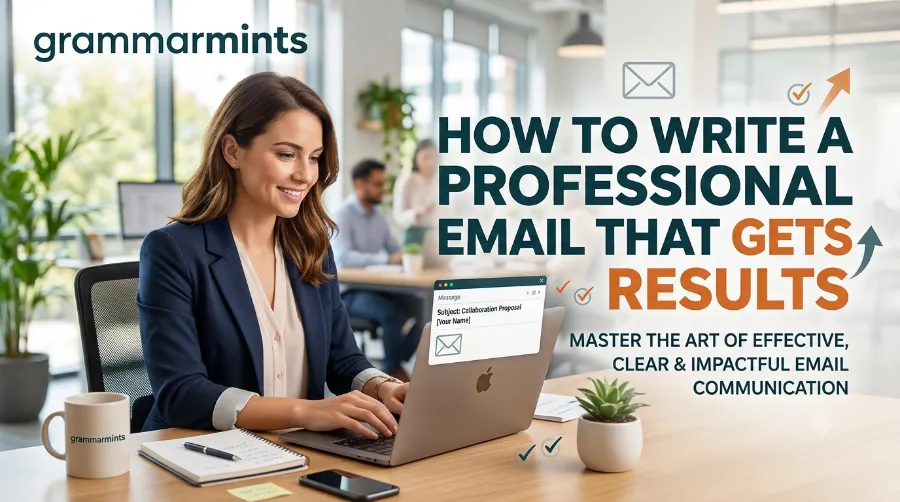
Have you ever sent an important email and never received a reply? Many people face this problem every day. Fortunately, learning how to write a professional email can improve your communication, increase response rates, and create a strong first impression.
As workplaces continue to rely on digital communication in 2026, email remains one of the most valuable business skills.
In this complete guide, you will learn simple techniques, practical examples, common mistakes to avoid, and proven strategies that help your emails stand out.

A well-written email can help you:
- Build trust with employers and clients
- Receive faster replies
- Avoid misunderstandings
- Show professionalism
- Create better business relationships
- Improve your career opportunities
What Makes an Email Professional?
Professional emails follow a simple structure. They are polite, easy to read, and focused on one purpose.
A professional email should include:
| Element | Purpose |
|---|---|
| Subject Line | Explains the reason for the email |
| Greeting | Politely addresses the recipient |
| Opening | Introduces the purpose |
| Main Body | Provides necessary information |
| Closing | Ends respectfully with a call to action |
| Signature | Includes your contact details |
Each section plays an important role in helping the reader understand your message quickly.
Before You Start Writing
Before opening your email app, ask yourself these questions:
- What is the goal of this email?
- Who will read it?
- What action do I expect?
- Can I explain everything clearly in a few paragraphs?
Taking one minute to plan your email often saves several follow-up messages later.
Step 1: Write a Clear Subject Line
Your subject line is the first thing people notice. Therefore, it should immediately explain why you are writing.
Good Subject Line Examples
- Job Application – Marketing Assistant
- Meeting Request for July 10
- Project Update – Phase Two
- Invoice for June Services
- Follow-Up After Our Interview
Poor Subject Line Examples
- Hi
- Question
- Help
- Important
- Please Read
Specific subject lines improve open rates because readers instantly understand the purpose of your email.
Step 2: Choose the Right Greeting
The greeting sets the tone for your message. Always choose one that matches your relationship with the reader.
Formal Greetings
- Dear Mr. Smith,
- Dear Ms. Johnson,
- Dear Hiring Manager,
- Dear Professor Brown,
Neutral Greetings
- Hello Sarah,
- Hi David,
If You Don’t Know the Name
You can write:
- Dear Hiring Team,
- Dear Customer Support Team,
- Dear Admissions Office,
Avoid greetings like:
- Hey
- Yo
- What’s up?
These expressions are too casual for professional communication.
Step 3: Start with a Strong Opening
Your opening should explain why you are writing. Readers should understand your purpose within the first two or three sentences.
Example
I hope you are doing well. I am writing to apply for the Marketing Coordinator position advertised on your website.
Or
Thank you for meeting with me yesterday. I wanted to follow up regarding our discussion about the upcoming project.
Avoid long introductions that delay the main point.

Example of a Strong Email Opening
| Weak Opening | Better Opening |
| I hope you’re fine. I wanted to ask something because I’ve been thinking about it. | I hope you’re doing well. I’m writing to request a meeting regarding next week’s project deadline. |
The improved version quickly explains the purpose while remaining polite.
Best Practices for the First Paragraph
Keep these simple rules in mind:
- State your reason immediately.
- Be polite but direct.
- Keep the introduction short.
- Mention any previous communication if needed.
- Avoid unnecessary details.
Readers appreciate emails that respect their time.
Professional Email Opening Checklist
Before moving to the body of your email, make sure you have:
- Written a clear subject line
- Used the correct greeting
- Explained your purpose
- Maintained a polite tone
- Kept the opening concise
These small improvements create a positive impression before the reader reaches the main message.
What’s Coming Next
In the next part of this guide, you’ll learn how to write the body of a professional email, organize information clearly, use the right tone, include effective calls to action, avoid common grammar mistakes, and see real-world email examples that you can use immediately.
Step 4: Write a Clear and Organized Email Body
The body is the heart of your email. It should explain your message in a logical order without overwhelming the reader.
A strong email body usually follows this simple structure:
- State your purpose.
- Provide the necessary details.
- Explain what action you expect.
- Thank the reader.
Example
Purpose: Requesting a meeting
I would like to schedule a 30-minute meeting next week to discuss the marketing campaign. I am available on Tuesday or Wednesday afternoon. Please let me know which time works best for you.
The message is short, polite, and easy to understand.
Keep Paragraphs Short
Large blocks of text can discourage readers.
Less Effective
One long paragraph containing several different ideas without spacing.
Better
Separate each idea into its own paragraph. This improves readability and helps readers find important information quickly.
Use a Professional Tone
Professional does not mean complicated.
Good Examples
- Could you please send the report by Friday?
- Thank you for your time.
- I appreciate your assistance.
- I look forward to hearing from you.
Avoid These Phrases
- ASAP!!!
- Reply now.
- I need this immediately.
- You forgot to…
A respectful tone encourages better communication.
Step 5: Stay Clear and Concise
Instead of Writing
I just wanted to take a little bit of your valuable time because I have something that I would really like to discuss with you.
Write
I’d like to discuss next week’s project timeline.
Formatting Tips That Improve Readability
Good formatting helps readers absorb information quickly.
Use these techniques:
- Keep paragraphs under four sentences.
- Leave space between paragraphs.
- Highlight important dates or deadlines.
- Avoid writing in ALL CAPITAL LETTERS.
Professional Email Structure Example
| Section | Example |
|---|---|
| Greeting | Dear Ms. Taylor, |
| Opening | I hope you’re doing well. |
| Purpose | I’m writing to request feedback on my proposal. |
| Details | The proposal is attached for your review. |
| Action | Please let me know your thoughts by Friday. |
| Closing | Thank you for your time. |
| Signature | Best regards, Alex Carter |
This structure works for most business emails.
Step 6: Include a Clear Call to Action
Every professional email should end with a clear next step.
Ask yourself:
What do I want the reader to do?
Examples include:
- Confirm a meeting.
- Review a document.
- Reply with feedback.
- Approve a proposal.
- Share additional information.
Strong Call-to-Action Examples
- Kindly review the attached document and share your comments.
Choose the Right Closing
Your closing should match the formality of your email.
Professional Closings
- Best regards,
- Kind regards,
- Sincerely,
- Thank you,
- Respectfully,
Avoid overly casual endings like:
- Cheer
- Bye
- Thanks!!!
Create a Professional Email Signature
A signature tells the reader who you are and how they can contact you.
Example
Emily Roberts
Marketing Coordinator
Bright Solutions Ltd.
Phone: +1 (555) 123-4567
Email: emily@example.com
Website: www.example.com
Keep your signature clean and avoid adding unnecessary quotes or colorful graphics.
Common Professional Email Templates
Job Application Email
Subject: Application for Sales Associate Position
Dear Hiring Manager,
I hope you are doing well.
I am writing to apply for the Sales Associate position advertised on your company website. My background in customer service and retail has helped me develop strong communication and problem-solving skills.
Please find my resume attached. I would appreciate the opportunity to discuss how I can contribute to your team.
Thank you for your time and consideration.
Kind regards,
Alex Morgan
Meeting Request Email
Subject: Meeting Request for Project Discussion
Dear Mr. Johnson,Please let me know which option works best for you.
Thank you.
Best regards,
Sophia Green
Common Grammar Mistakes in Professional Emails
Even experienced professionals make grammar mistakes. Fortunately, most errors are easy to avoid.
| Incorrect | Correct |
| Your welcome | You’re welcome |
| Its important | It’s important |
| Their going | They’re going |
| Recieve | Receive |
| Your invited | You’re invited |
✔ Subject line is clear.
✔ Greeting is appropriate.
Frequently Asked Questions
What is the best way to start a professional email?
Start with a clear greeting and briefly explain why you are writing. For example:
Dear Ms. Brown,
I hope you are doing well. I am writing to discuss the marketing proposal we reviewed last week.
This approach is polite, professional, and immediately tells the reader the purpose of your email.
How many paragraphs should a professional email have?
Most professional emails contain three to five short paragraphs. Each paragraph should focus on one idea to make the email easy to read on both computers and mobile devices.
Can I use contractions in a professional email?
Yes. Words such as “I’m,” “you’re,” and “it’s” are acceptable in most modern business emails. However, avoid slang or overly casual expressions unless your workplace culture encourages them.
Should I proofread every email?
Absolutely. Even a small spelling or grammar mistake can reduce your credibility. Always review your email before sending it, especially if it is for a job application, client communication, or important business matter.
How quickly should I follow up?
If you haven’t received a reply, wait 2–5 business days before sending a polite follow-up email. Keep your follow-up brief and include the original context.
Final Tips for Better Professional Emails
Use these habits every time you write an email:
- Write a specific subject line.
- Address the recipient politely.
- Explain your purpose in the first paragraph.
- Keep sentences short and clear.
- Stay respectful throughout the message.
- End with a clear request or next step.
- Include a professional signature.
- Proofread before sending.
Following these simple practices will help you communicate more effectively and receive better responses.
Conclusion
Knowing how to write a professional email is an essential skill for students, job seekers, freelancers, and business professionals. A well-written email shows respect, builds trust, and helps you communicate your ideas clearly.
By using the techniques in this guide—writing a strong subject line, keeping your message concise, using a professional tone, and proofreading carefully—you can create emails that leave a positive impression and achieve better results. Practice these skills consistently, and professional email writing will become second nature.
References
- Purdue Online Writing Lab (OWL): https://owl.purdue.edu/
- Grammarly Blog: https://www.grammarly.com/blog/
- Microsoft Outlook Support: https://support.microsoft.com/outlook
- Google Workspace Learning Center: https://support.google.com/mail
Author Bio
Dr. Emma Richardson is an English language educator and business communication specialist with over 18 years of experience in grammar, workplace writing, and professional communication. She has helped thousands of learners improve their writing through training, editing, and educational publishing.
This one-minute review can prevent costly mistakes and improve your credibility.
Real-Life Example
Imagine you are applying for a remote marketing position. Two candidates have similar experience.
The first sends a short email with the subject “Resume.”
The second sends:
Subject: Application for Remote Marketing Specialist – Emily Carter
The email is polite, clearly explains qualifications, and includes a professional signature.