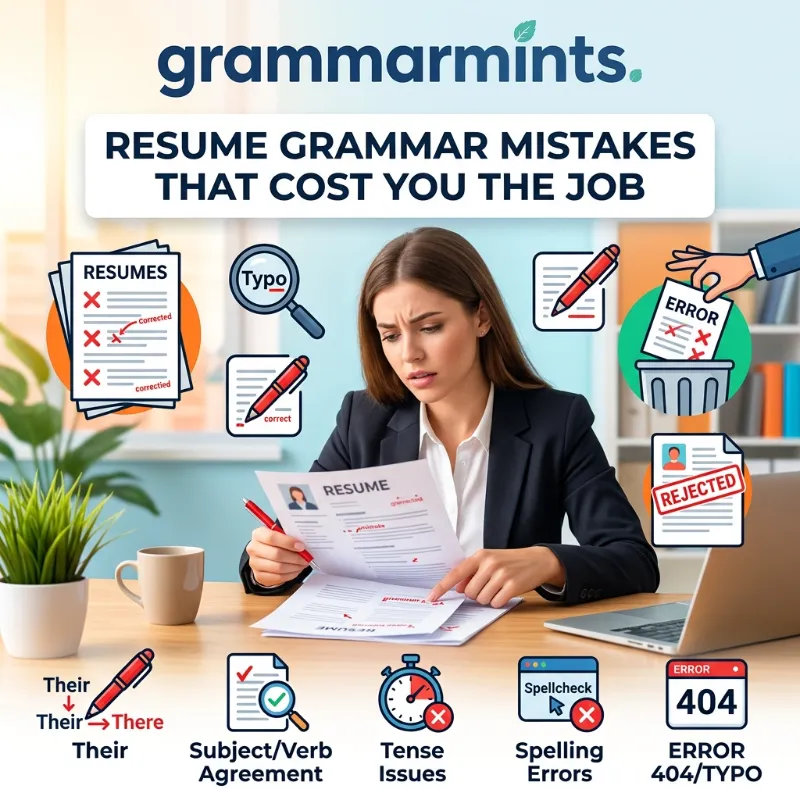
You spent hours polishing your work history. You picked the right template and matched every keyword from the job post. Then a recruiter opened your file, saw one misplaced comma, and moved on within seconds. That is the quiet damage of resume grammar mistakes, and most job seekers never find out it happened.
Grammar Mistakes at Work That Quietly Hurt Your Career
This guide walks through the specific errors that get resumes rejected. It covers why these mistakes matter more than people think, and how to catch them before a hiring manager does.
TL;DR: Grammar mistakes on a resume signal carelessness to recruiters, and most will reject a resume over just one or two errors. The biggest offenders are subject-verb agreement slips, mixed verb tenses, and homophones that spellcheck cannot catch. Fixing them takes a structured proofreading routine, not just a quick reread.
Why Resume Grammar Mistakes Still Get Good Candidates Rejected
It would be easy to assume that in 2026, with free AI writing tools everywhere, grammar mistakes would have mostly disappeared from job applications. That has not happened. Recent industry data suggests the opposite. Many candidates still rely on tools they do not fully trust to check their own work.
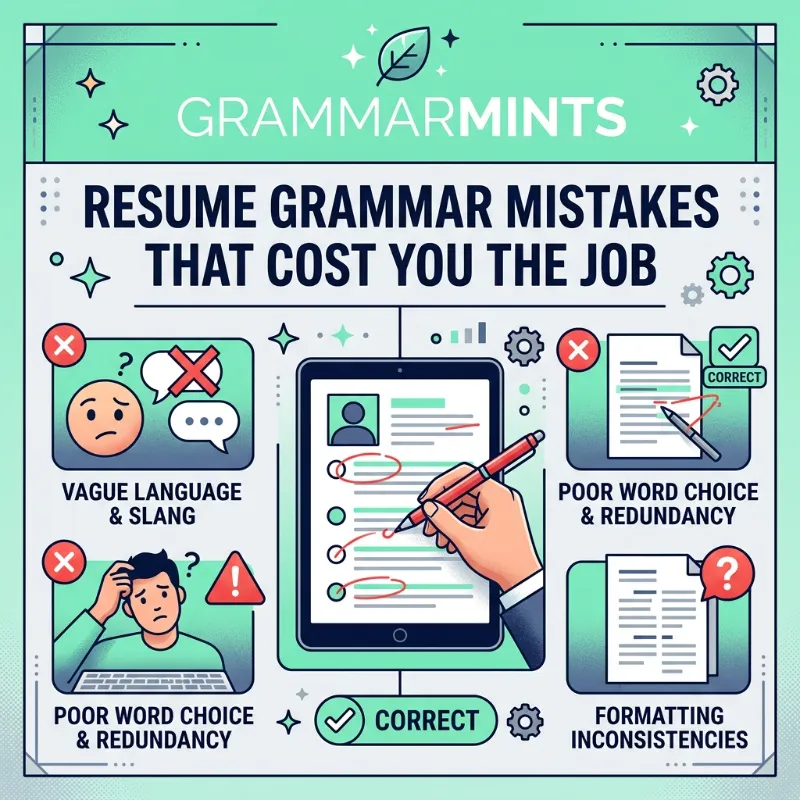
According to a 2026 recruiter survey compiled by Enhancv, nearly 80% of recruiters said they would reject a resume that contained typos or grammar mistakes. This held true no matter how strong the experience section looked. A separate study cited by Novoresume found that 77% of recruiters treat grammar errors as an outright deal-breaker, not just a minor ding.
ESL Grammar Mistakes at Work Why Small Errors Cost You Big Opportunities
The Data Behind the Rejections
The numbers get more specific when you look at how often these errors actually show up. Research from OfficeTeam, referenced in a 2026 StylingCV report, found that 38.5% of resumes contain at least one typo or grammatical error. So, roughly two out of every five resumes landing in a recruiter’s inbox already carry a red flag. A recruiter has not even judged the content on its merit yet.
Here is a snapshot of the data pulled from multiple 2025-2026 hiring surveys:
| Data Point | Source | Year |
|---|---|---|
| 80% of recruiters reject resumes with typos or grammar errors | Enhancv / The Motley Fool | 2026 |
| 77% of recruiters call grammar mistakes a deal-breaker | Novoresume Job Search Statistics | 2026 |
| 38.5% of resumes contain at least one grammar error | OfficeTeam, via StylingCV | 2026 |
| 85% of recruiters have rejected a candidate over a cited typo | Jobera.com survey of 200 recruiters, via NG Career Strategy | 2026 |
| Recruiters spend about 7.4 seconds on an initial resume scan | The Ladders eye-tracking study | 2018, still widely cited |
These figures come from different surveys. Each survey asked a different group and framed the question differently, so the exact percentages shift. Still, every single one lands in the same range. Somewhere between three-quarters and nearly nine in ten recruiters treat grammar as an instant credibility test.
Why the First Few Seconds Matter
That 7.4-second scan matters too. Recruiters do not read your resume line by line on the first pass. They skim it. A grammar mistake near the top of the page, where the eye lands first, does more damage than the same mistake buried near the bottom.
The Most Common Resume Writing Mistakes That Sneak Past Spellcheck
Most resume writing mistakes are not the kind spellcheck catches. Spellcheck flags words that do not exist. It says nothing about a sentence that is grammatically wrong but made entirely of real, correctly spelled words. That gap is where most damage happens.
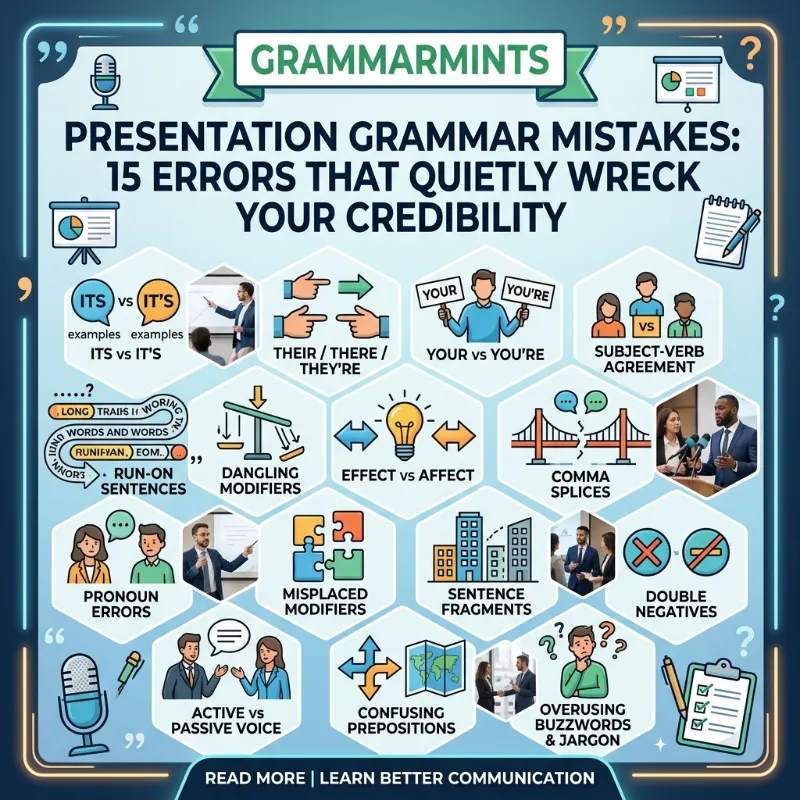
Presentation Grammar Mistakes 15 Errors That Quietly Wreck Your Credibility
Below are the four patterns that show up again and again in resumes across the United States and Europe, regardless of industry.
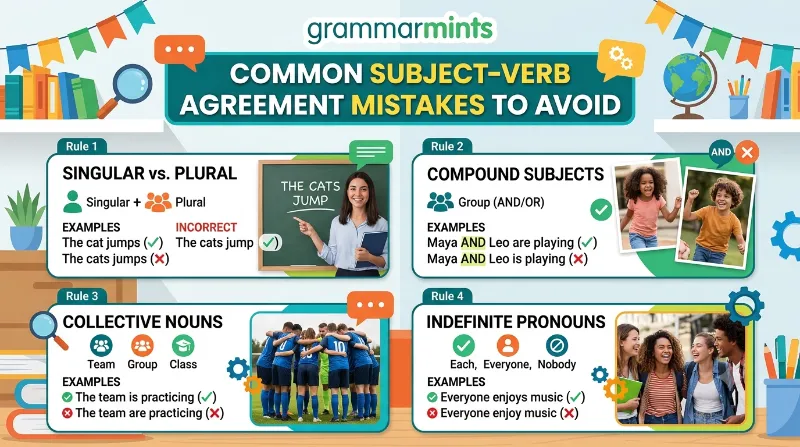
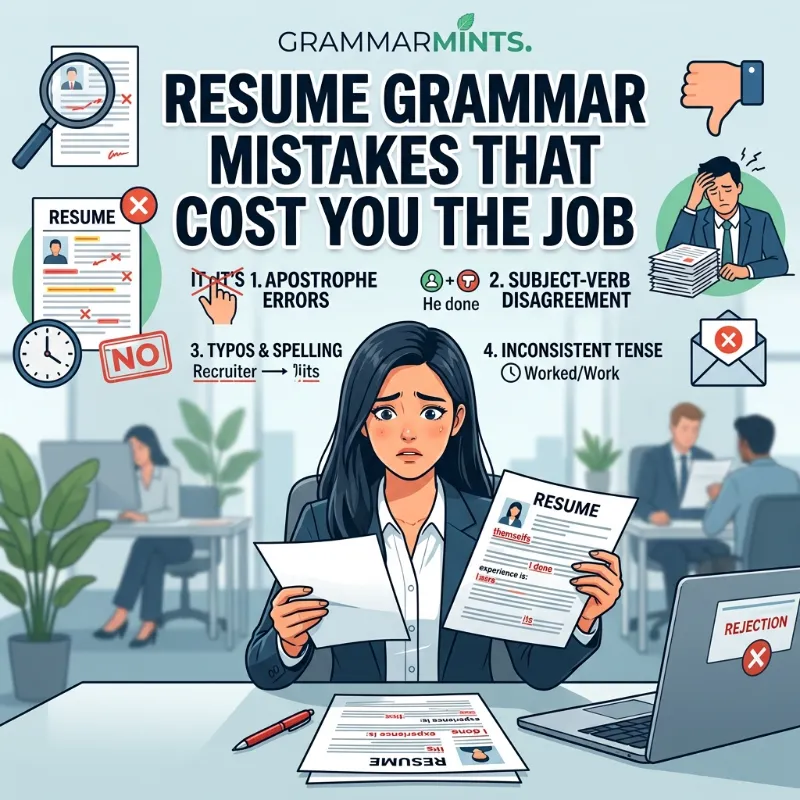
Subject-Verb Agreement Slips
This happens when the subject of a sentence and its verb do not match in number. It is especially common in bullet points, where candidates drop the pronoun and jump straight into a verb.
- Wrong: “Manages a team of six and oversee daily operations.”
- Right: “Manage a team of six and oversee daily operations.”
The mix of tense and agreement inside one sentence is a classic sign. Someone edited the bullet halfway through and never finished it. Recruiters notice this pattern almost immediately because it breaks the rhythm of an otherwise clean list.
Mixed-Up Verb Tenses
Your current job should read in present tense. Every past role should read in past tense. That is a simple rule, but candidates break it constantly. This usually happens when they copy old bullet points from a previous resume version without updating the verbs.
Grammar Mistakes to Avoid in Business Writing (And What to Do Instead)
For example, someone still working as a marketing coordinator should write “Lead the content calendar for three product lines,” not “Led the content calendar.” A role held from 2022 to 2024, on the other hand, should stay entirely in the past tense.
Apostrophe and Comma Errors
Apostrophe mistakes are small but glaring. A common one is “it’s” versus “its.” Another is turning a plural noun into a false possessive, like writing “manager’s” when the sentence means multiple managers. Comma splices cause just as much trouble; this happens when a writer joins two full sentences with only a comma.
Common Email Grammar Mistakes and How to Avoid Them
- Wrong: “Managed vendor relationship’s across four regions.”
- Right: “Managed vendor relationships across four regions.”
Comma splices often appear when a candidate tries to pack two achievements into a single bullet point. Breaking that bullet into two separate lines, or adding a semicolon, usually solves it.
Homophones Spellcheck Won’t Catch
This category causes the most embarrassment. Every word in it is a real, correctly spelled word, just the wrong one for the sentence. Common pairs include “their/there/they’re,” “affect/effect,” and “led/lead.” A basic spellchecker sees a real word and moves on, even when it is the wrong one entirely.
ESL Exam Grammar Mistakes Why Smart Students Still Lose Points
According to guidance published on Great Resumes Fast, spelling mistakes like these are among the fastest ways to undercut an otherwise strong resume, precisely because they slip past automated tools unnoticed. That is one reason a second pass, ideally from a grammar-focused checker rather than a basic word processor, catches what the first pass misses.
Common CV Mistakes That Go Beyond Grammar
Grammar is only part of the picture. Common CV mistakes also include formatting inconsistencies that make a document look sloppy even when every sentence is technically correct.
Formatting Issues Recruiters Flag
Some of the most frequent issues recruiters flag alongside grammar problems include:
- Inconsistent date formats, such as switching between “March 2023” and “03/2023” on the same page
- Mixed bullet point styles, where some lines end in a period and others do not
- Unprofessional email addresses still listed as the primary contact
- Font or size changes between sections that suggest someone pieced the document together from separate templates
- Missing spaces after punctuation, often introduced when copying text between different programs
A 2026 dataset compiled by StylingCV found that poor formatting or structure alone eliminates 60% of candidates, separate from grammar issues entirely. So even a grammatically flawless resume can fail if the layout looks inconsistent or hard to scan.
A Quick-Reference Fix Table
A quick-reference table often helps more than a long list when you are editing under time pressure. Here is one worth keeping open in a second tab while you revise:
| Common Mistake | Quick Fix |
|---|---|
| Bullet starts with “I” or drops the verb | Start every bullet with a strong action verb, no pronoun |
| Current job written in past tense | Switch to present tense for the role you still hold |
| “Its” vs “it’s” confusion | “It’s” only when you mean “it is”; otherwise use “its” |
| Two sentences joined by a comma | Split into two bullets, or use a semicolon |
| Inconsistent date formats | Pick one format (e.g., “Jan 2023”) and use it throughout |
Grammar Expectations Shift by Region
There is also a regional layer worth knowing if you apply across both the United States and Europe. American resumes typically drop personal pronouns and titles like “Mr.” or “Ms.” Many European CVs, especially in Germany and France, still include a photo and a more formal tone. That shifts how strict the grammar expectations tend to be.
10 Formal Letter Mistakes That Are Quietly Damaging Your Credibility
A CV aimed at a UK or Irish employer, for example, often tolerates British spelling variants like “organisation” instead of “organization.” Mixing both spelling systems within the same document still reads as an error, though. Pick one spelling convention based on where you are applying, and stay consistent from top to bottom.
This is also where the connection between resume writing and everyday workplace writing becomes clear. The same habits that create grammar mistakes at work tend to show up on resumes first. A resume is often the first piece of professional writing a hiring manager ever sees from you. If tense shifts or comma splices are a recurring pattern in your emails too, the fix usually needs to happen at the habit level, not just on one document.
Why AI Writing Tools Are Creating a New Kind of Grammar Mistake
Here is something that would not have shown up in a guide like this even three years ago. AI writing assistants have made grammar mistakes less common on the surface, yet they have introduced a different problem entirely: robotic, over-polished sentences that read as though no human touched them at all.
Research cited by Career Enlightenment in its 2026 resume mistakes roundup found that 80% of hiring managers say they can spot unedited AI-generated resume content, and nearly half admit to auto-dismissing it once they notice. That is a striking shift. Even a resume with flawless grammar can still lose the interview, simply because it sounds generic rather than genuine.
Most Common Punctuation Mistakes in Professional Writing (and How to Fix Them Fast)
This matters for a grammar-focused guide because the fix overlaps directly with proofreading. If you used an AI tool to draft or polish your bullet points, read every line afterward. Ask whether it still sounds like something you would actually say out loud. Overly formal transitions, repeated sentence structures, and vague phrases like “spearheaded cross-functional initiatives” are common tells. Trimming those back to plain, specific language usually fixes both the tone problem and any leftover grammar inconsistencies at once.
In practice, the safest approach is to let a tool suggest edits, then rewrite each suggestion in your own words rather than accepting it as written. That single habit keeps your resume both grammatically sound and recognizably human, which increasingly matters just as much as the grammar itself.
Real Stories: What These Errors Actually Cost Candidates
Numbers only tell part of the story. Here are three anonymized, composite scenarios pulled from patterns commonly reported by hiring teams and career coaches, illustrating how small errors played out in real applications.
Case 1: The finance analyst and the decimal typo. In late 2025, a candidate applying for a financial analyst role in Chicago listed “Managed a $2.5 million budget” in one bullet and “Reduced departmal costs by 12%” two lines below it. The misspelled word “departmal” was minor. But the hiring manager later told a career coach it made her wonder whether the candidate had checked the $2.5 million figure as carefully as the spelling. She did not shortlist him.
Case 2: The marketing coordinator’s tense problem. A job seeker in Manchester, UK, applied to roughly 40 marketing roles over three months in early 2025 with almost no response. A resume review found that every bullet under her current role used past tense, even though she still worked there. Once she corrected the tense consistency and fixed two comma splices, her interview rate reportedly tripled over the following six weeks.
Case 3: The engineer’s homophone slip. A software engineer’s resume included the phrase “lead a team of five engineers” under a role from 2021, meant to describe past leadership. Readers commonly confuse “lead” and “led,” so an ATS keyword scan and a human reviewer both read this as present tense. That created a timeline that did not match the rest of the document. The mix-up delayed his callback by nearly two weeks while a recruiter tried to clarify his current employment status.
None of these candidates lacked qualifications. Each mistake was small on its own, but it created just enough doubt for a recruiter to move on to the next file in the stack.
Resume Proofreading Tips From People Who Read Resumes for a Living
Catching your own mistakes is hard because your brain reads what it expects to see, not what is actually on the page. That is exactly why relying on a single read-through rarely works.
Here is a proofreading routine recruiters and resume writers consistently recommend:
- Read it backward, sentence by sentence. Starting from the last bullet point and working up breaks the natural flow your brain expects, which makes errors easier to spot.
- Read it out loud. Awkward phrasing and tense mismatches almost always sound wrong before they look wrong.
- Check one issue at a time. Do one full pass just for tense consistency, then a separate pass just for punctuation, rather than trying to catch everything at once.
- Use a grammar-specific tool, not just a word processor’s spellcheck. A dedicated checker, such as the Resume Worded grammar checker, catches resume-specific issues like tense mixing across bullet points, which general spellcheck tools often miss.
- Get a second pair of eyes. Ask someone outside your industry to read it. If they cannot follow a sentence, a recruiter skimming for seven seconds will not follow it either.
- Wait at least a few hours before the final read. Reviewing immediately after writing means your brain still remembers what you meant to say, not what you actually wrote.
- Print it, if possible. Errors that hide on a screen often become obvious on paper, since the change in format resets how your eyes scan the text.
These resume proofreading tips work best as a routine, not a one-time checklist. Building this into your job search process, the same way you would tailor a resume for each posting, tends to prevent the same mistakes from resurfacing on your next application too.
Tools That Catch What Your Eyes Miss
Grammar-checking software has improved considerably, and most tools now catch far more than basic spelling. Even so, they do not all serve the same purpose, so it helps to know what each one is actually built for.
| Tool Type | Best For | Limitation |
|---|---|---|
| Basic word processor spellcheck | Catching misspelled words | Misses homophones and tense errors entirely |
| Dedicated resume grammar checkers (e.g., Enhancv’s resume grammar checker) | Resume-specific phrasing, tense consistency, bullet structure | Cannot judge whether achievements are accurate or well-framed |
| General grammar assistants | Sentence structure, punctuation, passive voice | May flag resume fragments as “incomplete sentences,” which is often intentional in bullet points |
| Human proofreader or career coach | Context, tone, industry norms | Costs time or money, and availability varies |
No single tool replaces a careful human read. Resumes rely on sentence fragments as standard practice, not an error, and a tool built for full essays might flag every bullet point as incomplete. That advice is misleading for this particular format.
That said, pairing at least one dedicated checker with a manual read catches the widest range of resume writing mistakes. The routine matters more than the specific brand you choose. Combine automated scanning with a human review before you submit anything.
Build a Two-Pass Habit
Most career coaches recommend running your resume through a checker twice. Do the first pass right after the full draft, and the second after any last-minute edits before submission. New errors sneak in most often during last-minute changes; a candidate might swap one bullet point at 11 p.m. before a deadline and forget to recheck the tense around it. That second pass, even a quick one, catches a surprising share of the mistakes that would otherwise slip through.
It also helps to build a short personal style sheet alongside whatever tool you use. Note your preferred date format, your spelling convention (American or British), and your punctuation style at the end of bullet points. Keeping that reference open while you edit prevents small inconsistencies that a grammar checker will not always flag, since both versions are technically correct on their own.
How to Fix Resume Grammar Mistakes Before You Hit Submit
Fixing resume grammar mistakes for good usually comes down to timing and repetition rather than talent. Most job seekers try to proofread immediately after finishing a draft, which is the exact moment they are least likely to catch anything.
A better approach spreads the review across at least two separate sessions, ideally on different days. First, focus purely on content and structure. Then, once you lock in the wording, run a dedicated grammar and tense pass using one of the tools mentioned above.
It also helps to keep a personal checklist of the mistakes you tend to repeat. If tense consistency has tripped you up before, flag it every single time you update your resume, rather than assuming last month’s fix carries forward automatically. Small, consistent habits like this tend to matter more than any single editing tool, and they carry over naturally into other professional writing too, including the kind of email grammar mistakes that can quietly undercut a job offer negotiation or a first message to a new manager.
Frequently Asked Questions
Resume Grammar Basics
Does one grammar mistake really get a resume rejected? Often, yes. Multiple 2026 surveys found that a majority of recruiters reject resumes after spotting just one or two errors. This is especially true in competitive fields where hundreds of applications arrive for a single opening.
Are ATS systems affected by grammar mistakes too? Applicant tracking systems mainly parse keywords and formatting rather than grammar itself. However, tense errors can confuse how a system reads your employment dates. That confusion can cause it to misfile your current role as a past one.
Do grammar mistakes matter more in certain industries? Yes, generally more in fields like law, finance, writing, and communications, where precision is part of the job itself. That does not mean other industries tolerate errors. Scrutiny simply tends to run higher wherever written accuracy is a core skill.
What is the single most overlooked grammar mistake on resumes? Tense inconsistency between the current role and past roles is probably the most overlooked. It does not look wrong at first glance. Each individual sentence can be grammatically correct on its own, yet the mismatch between sections still signals carelessness once a recruiter compares them side by side.
Tools and Proofreading Habits
Is it worth paying for a professional resume proofreader? For senior roles or career changes, it can be worthwhile. A professional often catches industry-specific phrasing issues that generic tools miss. For most other applications, a careful combination of a grammar tool and a trusted second reader is usually enough.
How often should I proofread my resume? Every single time you tailor it for a new role, not just once when you first write it. Small edits made in a hurry, like swapping a job title or adding a new bullet, are exactly where new errors creep back in.
Should I trust AI grammar tools completely, or still proofread manually? Trust them to catch the obvious issues, but do not treat their approval as a final sign-off. Automated tools can miss context-specific problems, like a job title that no longer matches the tense of the bullets underneath it. A manual read-through still catches what software alone cannot.
Conclusion
Resume grammar mistakes rarely feel serious in the moment. A missing apostrophe or a stray past-tense verb seems small compared to years of solid experience. Yet the data from 2025 and 2026 keeps pointing to the same pattern: recruiters use these small errors as a fast, if imperfect, signal of how careful you are with your work.
The good news is that none of this requires natural talent for grammar. A structured proofreading routine, a dedicated checking tool, and a second reader will catch nearly everything that matters before a hiring manager ever sees it. Treat your resume the way you would treat a first-day work email, because in many ways, that is exactly what it is.
If you want to go deeper on how these same habits show up beyond the job hunt, the broader patterns behind grammar mistakes at work are worth a closer look, since the fixes tend to carry over to every piece of professional writing you send.
References
- Novoresume, “100+ Job-Search Statistics You Have to Know in 2026” — https://novoresume.com/career-blog/job-search-statistics
- Enhancv, “170+ Must-Know Resume Statistics for Job Seekers in 2026” — https://enhancv.com/blog/resume-statistics/
- StylingCV, “Resume Statistics 2026: 50+ Facts Every Job Seeker Must Know” — https://stylingcv.com/blog/resume-statistics-2026-facts-job-seekers/
- NG Career Strategy, “Avoid These 30 Resume Red Flags To Get Hired in 2026” (Jobera.com survey of 200 recruiters) — https://www.ngcareerstrategy.com/avoid-these-30-resume-red-flags-to-get-hired-in-2026/
- Eztrackr, “10 Common Resume Mistakes to Avoid in 2026” — https://www.eztrackr.app/blog/common-resume-mistakes
- Great Resumes Fast, “Resume Spelling Mistakes” — https://greatresumesfast.com/blog/resume-spelling-mistakes/